Snapshots and stream handles
Expose camera, depth, and other modalities as metadata-rich MCP responses without flooding normal tool calls.

Agent Harness for robots
A plugin layer that lets decision agents use robot perception, action, feedback, realtime voice, and field acceptance tools across realworld and simulator environments.
claw-bot plugin + decision agent = Robot Brain
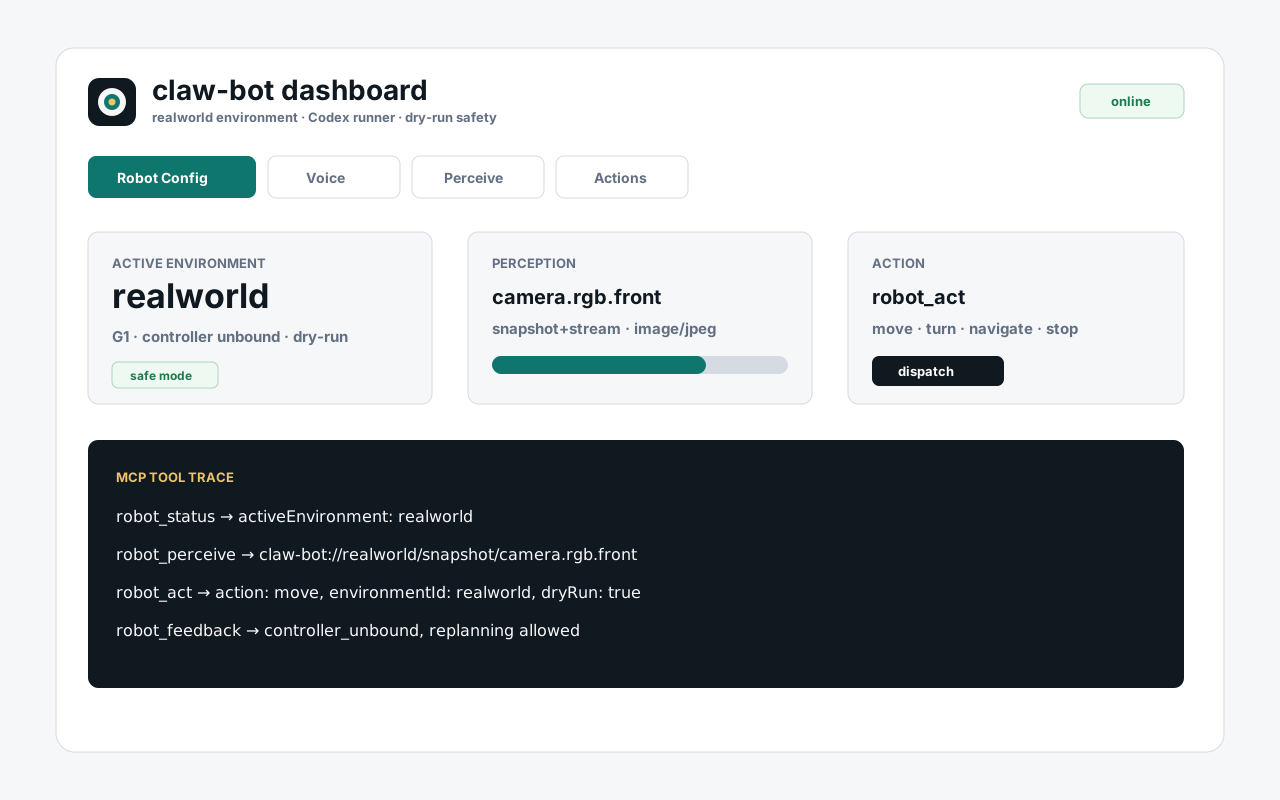
One plugin surface
claw-bot keeps environment differences in configuration and adapter capabilities. Agents call the same tools, inspect the active environment, and route actions through structured feedback.
Expose camera, depth, and other modalities as metadata-rich MCP responses without flooding normal tool calls.
Compile commands into environment-scoped action payloads for move, turn, navigate, behavior, and stop requests.
Record lower-controller feedback so the decision agent can continue, recover, or stop with evidence.
MCP surface
The MCP server exposes a small, predictable robot surface. Switching between realworld and simulator changes capabilities, not tool names.
robot_status
robot_configure_environment
robot_perceive
robot_act
robot_subscribe
robot_feedback
Field acceptance loop
Live acceptance is an evidence chain, not just a green service check. claw-bot records each handoff from speech through controller feedback.
Operator gives the robot task.
Realtime voice or transcribe bridge captures text.
Decision agent uses the claw_bot skill and MCP tools.
claw-bot emits structured environment-scoped commands.
Lower controller reports accepted, blocked, or completed state.
The robot or simulator outcome matches the acceptance note.
Install paths
The npm package is the canonical distribution. GitHub package install supports source-based demos, and MCP clients can launch the stdio server directly.
npm exec --yes --package @bozhi-ai/claw-bot@latest -- claw-bot install --yes --jsonCLAW_BOT_INSTALL_PACKAGE_SPEC=github:bozhi-ai/claw-bot \
npm exec --yes --package github:bozhi-ai/claw-bot -- claw-bot install --yes --jsonnpx -y @bozhi-ai/claw-bot@latest mcpProduct boundary